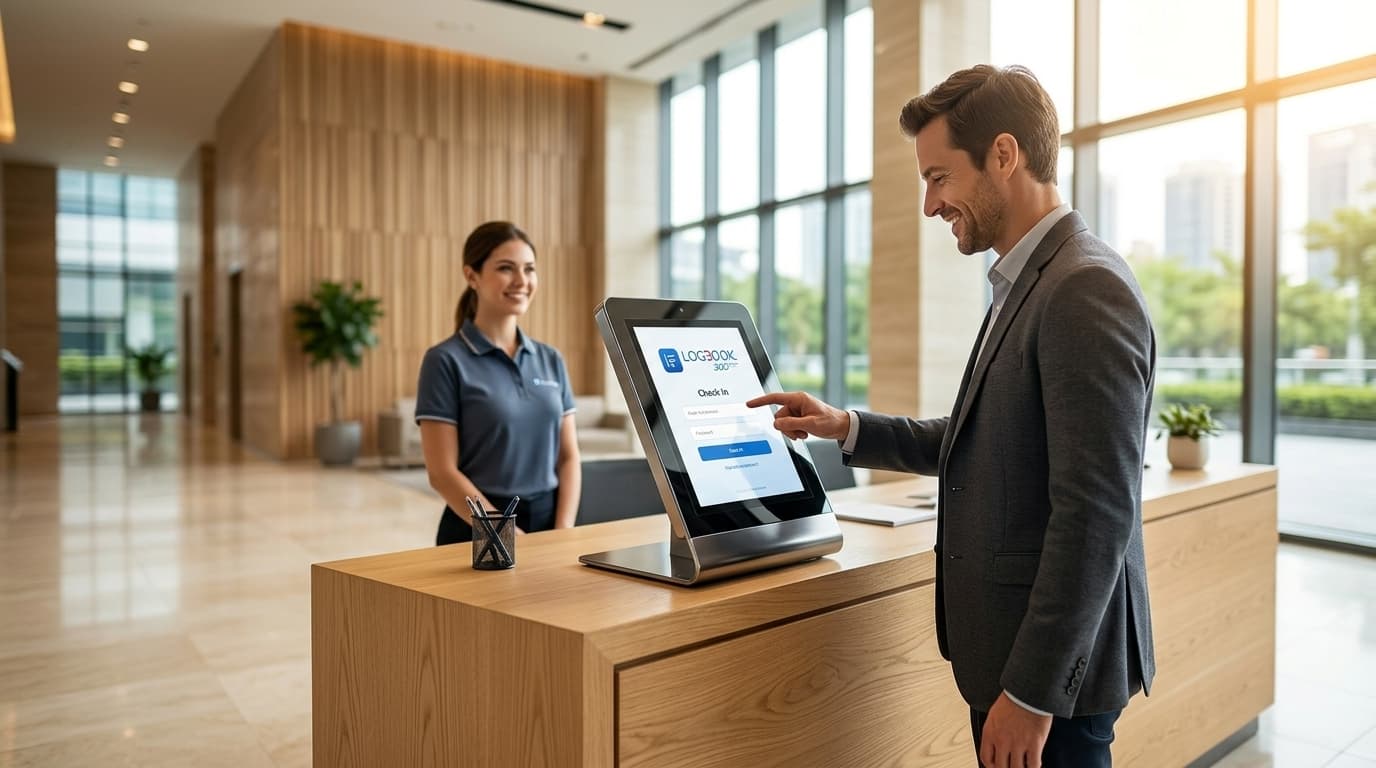
Visitor Management System for Corporate Offices
Managing office visitors should be quick and seamless. LogBook360 simplifies check-in, pre-registration, verification, and host notifications while keeping visitor records organized. It helps create a smoother experience for both guests and employees.

Centralized Visitor Management for Modern Corporate Offices
LogBook360 makes office visits faster and more organized, from quick digital check-in and visitor screening to instant host notifications. It helps create a smoother guest experience while giving teams better visibility into who’s on-site.
Digital Visitor Check-In for Offices
Replace paper sign-in sheets with a Digital Visitor Check-In System that makes visitor registration faster and keeps records organized. LogBook360 captures visitor details digitally, helping reception and security teams reduce paperwork and easily access visitor information.
Manage Visitors From a Centralized Dashboard
Manage visitor information from one central dashboard. LogBook360 gives authorized teams access to visitor records, check-in details, host information, and activity in one place.
Simplify Front Desk Visitor Management
A busy front desk handles visitor registration, check-in, notifications, and questions throughout the day. LogBook360 brings these tasks together with digital check-in, host notifications, and centralized visitor records. It helps front desk teams reduce manual work and keep the office running smoothly.
How LogBook360 Office Visitor Management Works
LogBook360 connects visitor invitations, registration, check-in, verification, and host notifications into one visitor management workflow.
1. Invite the Visitor
Send guests a digital invitation with the visit details before they arrive.
2. Complete Visitor Pre-Registration
Collect visitor details in advance and help your team prepare for scheduled visits.
3. Verify Visitor Identity
Verify visitor details with supported ID and facial recognition workflows before access.
4. Complete Digital Check-In
Let visitors check in digitally with QR codes and kiosks. Keep their visit records up to date.
5. Notify the Host
Automatically alert employees when their visitors arrive, with no calls to the front desk.
6. Issue a Visitor Badge
Give registered visitors a badge that clearly identifies them while they’re on-site.
7. Monitor Visitor Activity
Give authorized teams a clear view of visitor activity from one centralized dashboard.
8. Maintain Digital Visitor Records
Keep searchable visitor records in one place for easier review, reporting, and recordkeeping.
Office Visitor Management Features for Corporate Workplaces
LogBook360 brings visitor registration, check-in, identity verification, host notifications, visitor monitoring, and record management together in one Office Visitor Management System. Manage the entire visitor journey from registration to check-out through one centralized platform.
Digital Visitor Registration
Collect visitor details through a simple digital registration process. LogBook360 keeps visitor information organized in electronic records, reducing the need for paper sign-in sheets.
QR Code Visitor Check-In
Let visitors check in with a quick QR code scan. QR Code Visitor Check-In connects their registration details with their visit record, making arrival easier for visitors and front desk teams.
Touchless Visitor Check-In
Give visitors a convenient, touchless way to register and check in using their own devices or other configured digital options. This helps reduce manual data entry at the front desk.
Visitor Pre-Registration
Hosts can invite visitors and collect their details before a scheduled visit. Visitor Pre-Registration helps offices prepare for expected guests and keep visitor information organized before arrival.
Visitor Identity Verification
Verify visitor information through configured workflows, including supported ID verification and facial recognition. This adds identity verification to the visitor check-in process while keeping it simple for office teams.
Visitor Watchlist Screening
Screen visitors against configured watchlists and security databases as part of the visitor management process. If a potential match is identified, authorized personnel can review it and take action according to company policies.
Automated Host Notifications
Notify employees when their visitors arrive through supported notification channels. Host notifications help employees stay informed without relying on manual calls from the front desk.
Visitor Badge Printing
Create and print visitor badges through supported badge-printing workflows. Badges can display relevant visitor information and help staff identify registered visitors during their visit.
Live Visitor Monitoring
Keep track of visitor activity through the LogBook360 dashboard. Authorized personnel can view relevant check-in records and visitor activity to stay informed about who has arrived at the office.
Digital Visitor Logs and Audit Records
Keep digital visitor logs with relevant visitor and visit details. LogBook360 makes it easier to review past visits, manage records, and support internal reporting and audit needs.
Emergency Management and Digital Mustering
Support emergency response with visitor information and digital mustering tools. During an emergency, configured notifications can let people respond with “I’m Safe” or “I Need Help,” while authorized personnel can review responses and available visitor information.
Multi-Location Visitor Management
Manage visitor information across multiple office locations from one centralized platform. LogBook360 helps corporate teams maintain a consistent Visitor Management System for Corporate Offices across different buildings and facilities.
Access Control Device Management
Connect supported access control devices with LogBook360 to manage compatible physical access infrastructure. Authorized administrators can view device status and use supported remote management features from the centralized dashboard.
Digital Check-In Software for Corporate Offices
Traditional visitor sign-in often means paper registers, manual entry, and extra work at the front desk. Digital Visitor Check-In Software gives offices a simpler way to manage arrivals. LogBook360 helps collect visitor information, manage check-ins, and keep records organized in one Digital Visitor Check-In System.
Replace Paper Visitor Sign-In Sheets
Move from paper-based visitor logs to digital visitor registration. LogBook360 records visitor information electronically, helping organizations reduce manual paperwork and maintain more organized visitor records.
Make Visitor Registration More Convenient
Provide visitors with digital registration options before or during their visit. Depending on the workflow, visitors can complete relevant details through supported digital check-in methods.
Maintain Searchable Visitor Records
Store visitor information and visit records in one centralized system. Authorized teams can review past visits and keep digital check-in records organized for reporting.
Touchless Visitor Check-In for Modern Workplaces
Corporate offices welcome clients, vendors, contractors, and partners throughout the day. Touchless Visitor Check-In makes registration easier with digital workflows like QR Code Visitor Check-In, allowing guests to check in from their own devices.
QR Code-Based Visitor Check-In
Let visitors check in with a quick QR code scan. QR Code Visitor Check-In connects their arrival with their digital visitor record, making the check-in process easier for visitors and front desk teams.
Contactless Visitor Registration
Let visitors complete their registration digitally instead of filling out paper forms. Contactless Visitor Registration helps corporate offices collect and organize visitor information with less manual work at the front desk.
A Structured Visitor Arrival Process
Connect visitor registration, check-in, and host notifications in one simple workflow. Touchless Visitor Check-In helps reception teams manage arrivals more smoothly while keeping visitor information connected to the office's wider Visitor Management System.
Visitor Pre-Registration and Meeting Management
Use visitor pre-registration to get everything ready before guests reach the office. Send digital invitations, collect visitor details in advance, and keep scheduled visits organized for a smoother arrival.
Send Digital Visitor Invitations
Send guests digital invitations with meeting details before they arrive.
Collect Visitor Information Before Arrival
Collect required visitor details through Visitor Pre-Registration before the scheduled visit.
Manage Scheduled Office Visits
Keep visitor, host, and meeting details organized in one place.
Prepare for Expected Visitors
See who is expected and help reception and security teams prepare for scheduled arrivals with Visitor Pre-Registration Software.
Visitor Identity Verification and Security Screening
Add identity verification and screening to the visitor journey before granting access to your office.
- 01
Verify Visitor Identity
Verify visitor information using configured ID verification and facial recognition workflows.
- 02
Screen Against Watchlists
Check visitor information against configured watchlists and flag potential matches for authorized review.
- 03
Review Screening Results
Give authorized personnel the information they need to review screening results and make access decisions based on company policies.
- 04
Approve Visitor Access
Complete the configured approval process before the visitor enters the office.
- 05
Record the Visit
Keep relevant verification, screening, and visit information connected to the visitor’s digital record.
Real-Time Visitor Monitoring for Corporate Offices
Knowing who has checked in and who is expected helps corporate offices stay organized and keep track of visitor activity. LogBook360 gives authorized personnel a centralized dashboard to view visitor information, check-in activity, and relevant visit records, all in one place.
View Visitor Check-In Activity
View visitor check-ins from one centralized dashboard. This helps reception and security teams see who has arrived and quickly access relevant visit details.
Monitor Visitor Records Across Locations
Manage visitor records across multiple office locations from one platform. A Visitor Management System for Corporate Offices helps teams keep visitor information organized across distributed workplaces.
Maintain Visibility Into Visitor Activity
Keep track of visitor activity and check-in records throughout the day. Authorized teams can review visits and manage arrivals more efficiently with Visitor Management Software for Offices.
Support Visitor Oversight
Connect visitor registration, check-in, and records in one Visitor Management System for Offices. LogBook360 gives teams a clearer view of visitor activity while keeping check-ins and records organized.
Visitor Management for Multi-Location Corporate Offices
Managing visitors across multiple offices can get complicated when each location follows a different process. LogBook360 provides a centralized Visitor Management System for Corporate Offices, helping teams manage visitor registration, check-in, records, and access across locations.
Centralized Visitor Management Across Locations
Manage visitor information from multiple offices through one centralized platform. Visitor Management Software for Offices gives authorized teams access to relevant visitor records and location details based on their permissions.
Organize Visitor Records by Location
Keep visitor activity connected to the right office or facility. This makes it easier to organize records, review past visits, and understand where each visitor checked in.
Support Consistent Visitor Check-In Processes
Use a consistent Office Visitor Check-In System across your corporate locations. Organizations can configure visitor registration and check-in workflows based on the needs of each office.
Manage Access Control Devices Across Locations
Manage compatible access control devices across buildings and entrances from one dashboard. Authorized teams can coordinate visitor processes across locations while keeping visitor information organized.
Visitor Management for Different Types of Corporate Office Visitors
Corporate offices welcome visitors for meetings, interviews, maintenance, and vendor appointments. LogBook360 helps manage these visits with structured registration and check-in workflows for different visitor types.
Client and Business Partner Visits
Manage client and partner visits with Visitor Pre-Registration Software, digital invitations, check-in, and host notifications. Keep meetings organized and arrivals smooth.
Job Applicants and Interview Candidates
Make interview visits easier with Visitor Registration Software and digital check-in. Candidates can complete details before arrival, while teams keep visit information organized.
Contractors and Service Providers
Register contractors and service providers through Visitor Sign-In Software for Offices. Keep their information and visit records organized while following your office's internal procedures.
Vendors and Suppliers
Manage vendor and supplier visits with Office Visitor Management Software. Digital registration and check-in help teams keep visits organized and maintain a clear record of vendor activity.
Delivery Personnel
Keep delivery visits organized with an Office Visitor Log Software workflow. Front desk teams can record visitor details, manage arrivals, and keep digital records instead of relying on paper logs.
Temporary Guests and Other Visitors
Manage temporary guests and other office visitors with Visitor Check-In Software. LogBook360 helps corporate teams handle registration, check-in, and visitor records through one organized process.
Visitor Management Integrations for Corporate Offices
Corporate offices use different tools for scheduling, communication, identity, and physical access. LogBook360 supports compatible integrations that can connect your Office Visitor Management Software with existing workplace systems and workflows.
Visitor Data Management and Compliance Support
Corporate offices need to keep visitor data organized while following their internal data protection and security policies. LogBook360 helps organizations maintain digital visitor records, check-in information, and relevant visitor activity to support administrative processes and documentation.
Maintain Digital Visitor Logs
Store visitor details and visit-related information electronically. Digital visitor logs help organizations maintain an organized record of visitor activity and retrieve relevant details when required.
Support Audit and Reporting Processes
Use visitor records and activity information to support internal reporting and audit preparation. LogBook360 keeps relevant information organized in one place, making it easier for authorized teams to review visitor activity and maintain digital records.
Manage Visitor Information Through Configured Workflows
Collect and manage visitor information through configured Visitor Registration Software and check-in workflows. Organizations can set their own processes for handling visitor data and control who can access relevant records.
Why Use a Digital Visitor Management System for Offices?
See how LogBook360 compares with other corporate visitor management systems and the features that help simplify everyday visitor management.
| LogBook360 | Other Visitor Management Systems |
|---|---|
| Digital visitor registration | Manual or separate registration processes |
| Visitor pre-registration | Limited pre-registration options |
| Instant host notifications | Manual calls or messages |
| Digital visitor records | Paper-based or scattered records |
| Identity verification and configured screening | Basic visitor sign-in |
| Centralized visitor activity dashboard | Limited visibility into visitor activity |
| Multi-location visitor management | Separate systems for different offices |
| Organized visitor information | Harder to search and manage visitor records |
Frequently Asked Questions About Visitor Management for Offices
Manage Office Visitors With LogBook360
Ready to simplify visitor management at your office? LogBook360 brings registration, check-in, verification, notifications, monitoring, and digital records together in one Visitor Management System for Offices, with less manual work and better visibility.
Ai Visitor Check-In
Speed up office arrivals with Ai-powered visitor registration and check-in.
ExploreEmergency Management
Help your team stay prepared with digital alerts, visitor information, and emergency response tools.
ExploreSmart Visitor Badge Printing
Create visitor badges with photos and visit details to make identification easier at the front desk.
Explore