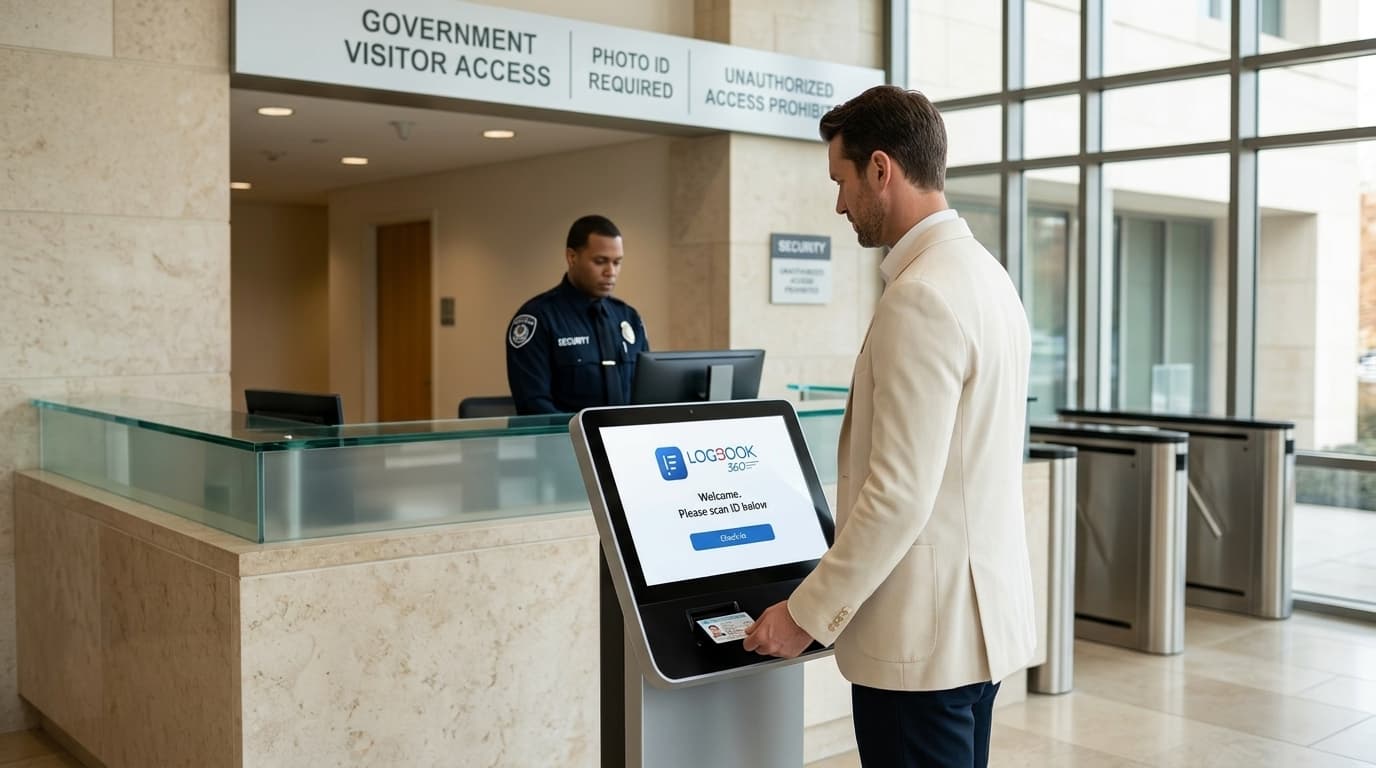
Government Visitor Management System for Secure Facilities
Manage visitor check-in, identity verification, screening, access, and digital records with a Government Visitor Management System built for secure facilities. LogBook360 helps government teams keep visitor activity organized while maintaining control over who enters their facilities.

Security Starts Before the Visitor Reaches the Door
Build a more controlled visitor process from identity verification and screening to access management and digital records.
ID Verified
Verify visitor identities through configured verification workflows.
Screened
Screen visitors against configured watchlists and denied-party sources.
Access Controlled
Manage visitor access, zones, sponsors, and escort requirements.
Audit Recorded
Keep digital records of visitor entry, exit, screening, and access activity.
Public Access Meets Restricted Security
Government facilities manage visitors, contractors, vendors, and officials while keeping access controlled. LogBook360 brings identity verification, screening, access management, and visitor records into one centralized Government Visitor Management System, making it easier to manage every visit from check-in to exit.
Turn Every Visitor Arrival Into a Controlled Security Workflow
From check-in to exit, LogBook360 connects Ai-powered check-in, identity verification, screening, access approval, badge printing, escort management, and visitor records in one workflow. Give security and facility teams a clearer view of every visitor journey.
01. Ai Visitor Check-In
PendingCompletedSpeed up visitor arrivals with digital check-in and a streamlined process designed to keep the entrance moving.
02. Identity Verification
PendingCompletedVerify visitor identity through the configured identity verification workflow.
03. Watchlist Screening
PendingCompletedScreen visitors against configured denied-party, watchlist, and internal screening sources.
04. Access Approval
PendingCompletedApply the appropriate host, sponsor, access, and facility requirements before entry.
05. Badge & Escort
PendingCompletedIssue visitor badges and manage sponsor or escort requirements for restricted visits.
06. Visit Recorded
PendingCompletedMaintain a digital record of visitor activity, including entry, exit, screening, and access information.
Know Who Is Entering Your Government Facility
A name written on a sign-in sheet does not establish identity. LogBook360 supports identity verification workflows that help government facilities verify visitors before access is granted.

Identity Verification
Capture and verify visitor identity through supported verification workflows.
Visitor Photo
Capture visitor photo details as part of the configured check-in process.
Pre-Registered Visitors
Match arriving visitors against expected visit information and approved visitor records.
Ai-Powered Check-In
Use a streamlined digital check-in process to help visitors complete registration quickly.
Visitor Badge Printing
Print visitor badges after check-in to help staff quickly identify approved visitors on-site.
Host Approval
Notify the appropriate host or authorized personnel when approval is required.
Screen Visitors Before Access Is Granted
Government facilities may need to screen visitors before they enter controlled environments. LogBook360 supports screening against configured denied-party and watchlist sources and connects screening results with the visitor record.
Denied-Party Screening
Screen visitors against configured denied-party sources before access is granted.
Watchlist Screening
Check visitors against configured watchlists as part of the visitor approval process.
Internal Blocklists
Apply organization-specific screening rules where required.
Screening Records
Keep screening results associated with the relevant visitor record.
Control Where Visitors Can Go
Not every visitor should have access to every area of a government facility. LogBook360 supports zone-based visitor access workflows that help facilities define where visitors can go and when a sponsor or escort is required.
Zone-Based Access
Assign visitor access according to authorized areas.
Escort Tracking
Record who is responsible for escorting a visitor.
Sponsor Management
Connect restricted visits with the appropriate authorized person.
Access Records
Maintain relevant records of visitor access through configured access workflows.
Access to this area requires an approved escort and valid authorization.
Manage Government Contractors and Third-Party Visitors
Government facilities regularly receive contractors, maintenance teams, vendors, auditors, service providers, and other third-party personnel. LogBook360 helps organize these visits through registration, screening, approval, escort management, and digital visitor records.
Contractor Registration
Register expected contractors before they arrive.
Contractor Check-In
Let contractors complete the configured digital check-in process on arrival.
Visitor Screening
Apply the facility’s configured screening process.
Access Approval
Review required approvals before granting access.
Escort Tracking
Record the responsible sponsor or escort for restricted visits.
Keep Government Visitor Check-In Moving
Busy government facilities can have visitors arriving at the same time. LogBook360 helps streamline digital check-in and organize visitor arrivals, reducing unnecessary delays at the entrance.
Fast Visitor Check-In
Give visitors a simple digital check-in process for faster arrivals.
Queue Management
Help organize visitor flow during busy arrival periods and reduce congestion at reception.
Pre-Registered Visitors
Prepare scheduled visitor information before arrival to make check-in more efficient.
Walk-In Visitors
Capture required visitor information and complete the configured check-in process for unexpected arrivals.
Every Visit. Every Decision. Every Record.
Government security teams may need to know who entered a facility, when they entered, what screening occurred, who approved access, and what activity was recorded. LogBook360 maintains structured digital visitor records for easier review and accountability.
WHO
Visitor identity and relevant visitor information.
WHEN
Entry and exit timestamps.
WHAT
Screening and visitor activity.
WHERE
Relevant access and zone information.
Keep a Clear Record of Every Visitor Journey
With Government Visitor Audit Logs, security teams can quickly review who entered, when they arrived, what screening was completed, and how access was managed. LogBook360 keeps these details organized in one digital visitor record.
Visitor Details
See who visited, who they were meeting, and when they entered or exited.
Screening & Approval
Review screening results, approvals, and relevant visitor verification details.
Access & Escort History
Track assigned sponsors, escorts, access activity, and relevant visit details.
Complete Visit History
Keep a searchable record of past visits for authorized review and reporting.
Support Government Physical Access and Security Requirements
Government organizations may operate under federal, state, local, contractual, and agency-specific security requirements. LogBook360 supports visitor management automation related to physical access, visitor screening, identity verification, escort management, and audit records.
FICAM-Aligned Workflows
Support identity verification and credentialed access workflows.
LogBook360 supports relevant security and physical-access workflows. Organizations remain responsible for determining and implementing the requirements applicable to their specific environment.
Know Who Is On-Site
Security and facilities teams need visibility into visitor activity throughout the day. LogBook360 provides centralized visitor information so authorized personnel can review visitor status, entry and exit activity, and relevant visit details.
- 09:42A. Rivera checked inScreening: Screened
- 09:38Maintenance crew (3) approvedScreening: Escort assigned
- 09:31J. Okafor checked outScreening: Complete
- 09:20L. Chen pre-registered visitScreening: Screened
Emergency Response Starts With Knowing Who Is Inside
During an emergency or lockdown, authorized teams need access to reliable visitor information. LogBook360 supports emergency alert and visitor accountability workflows that help teams identify visitors recorded as being on-site and coordinate safety responses.
01. ALERT
Emergency notification is triggered.
02. ACCOUNTABILITY
Current visitor information is displayed.
03. RESPONSE
Authorized personnel review available visitor status information.
Manage Visitor Operations Across Multiple Government Locations
Government organizations may operate across multiple offices, buildings, departments, and facilities. LogBook360 supports centralized visitor management while allowing individual locations to follow their configured visitor and access requirements.
Centralized Visitor Management
Manage visitor information across supported government locations from one platform.
Location-Based Access
Apply different visitor and access requirements based on each facility.
Centralized Visitor Visibility
Give authorized teams a clearer view of visitor activity across locations.
Replace Paper Visitor Logs With Digital Visitor Management
Paper logs can make visitor records harder to find and keep screening and access information scattered. LogBook360’s Government Visitor Management System brings visitor registration, identity verification, visitor screening, access control, and digital visitor records together in one platform.
| Manual Process | LogBook360 |
|---|---|
| Handwritten details | Digital registration |
| Manual ID checks | Identity verification |
| Separate screening | Visitor screening |
| Manual escort records | Escort tracking |
| Hard-to-find records | Searchable records |
| Manual reporting | Digital visitor history |
| Limited visibility | Centralized visitor status |
How LogBook360 Works for Government Facilities
- 01
Register
Pre-register visitors and contractors before arrival.
- 02
Verify
Verify visitor identity through the configured workflow.
- 03
Screen
Screen visitors against configured watchlists and denied-party sources.
- 04
Approve
Apply host, sponsor, escort, and access requirements.
- 05
Monitor
Maintain visibility into visitor activity.
- 06
Record
Maintain a structured digital visitor history.
Visitor Management for Different Government Facilities
Manage visitors across federal agencies, state offices, public buildings, and secure facilities with a Government Visitor Management System built for different visitor and access needs.
Federal Agencies
Manage visitor registration, screening, access, and digital visitor records across federal facilities.
State Government Offices
Keep visitor registration, check-in, and screening workflows consistent across state offices and facilities.
Local Government Buildings
Manage visitors, contractors, vendors, and public access with organized digital visitor workflows.
Government Contractors
Manage contractor registration, screening, approvals, and access before and during their visit.
Secure Government Facilities
Control restricted-area access, escort requirements, screening, and visitor records.
Public Service Buildings
Simplify visitor check-in while keeping access and visitor records organized.
Government Visitor Management FAQs
Keep Every Visitor Accounted For.
Give your security and facilities teams a clearer way to manage government visitors, contractors, restricted access, and visitor records. Move beyond paper logs with a Government Visitor Management System built around identity verification, visitor screening, access control, and digital audit records.