
One Visitor Management System
for Every Location
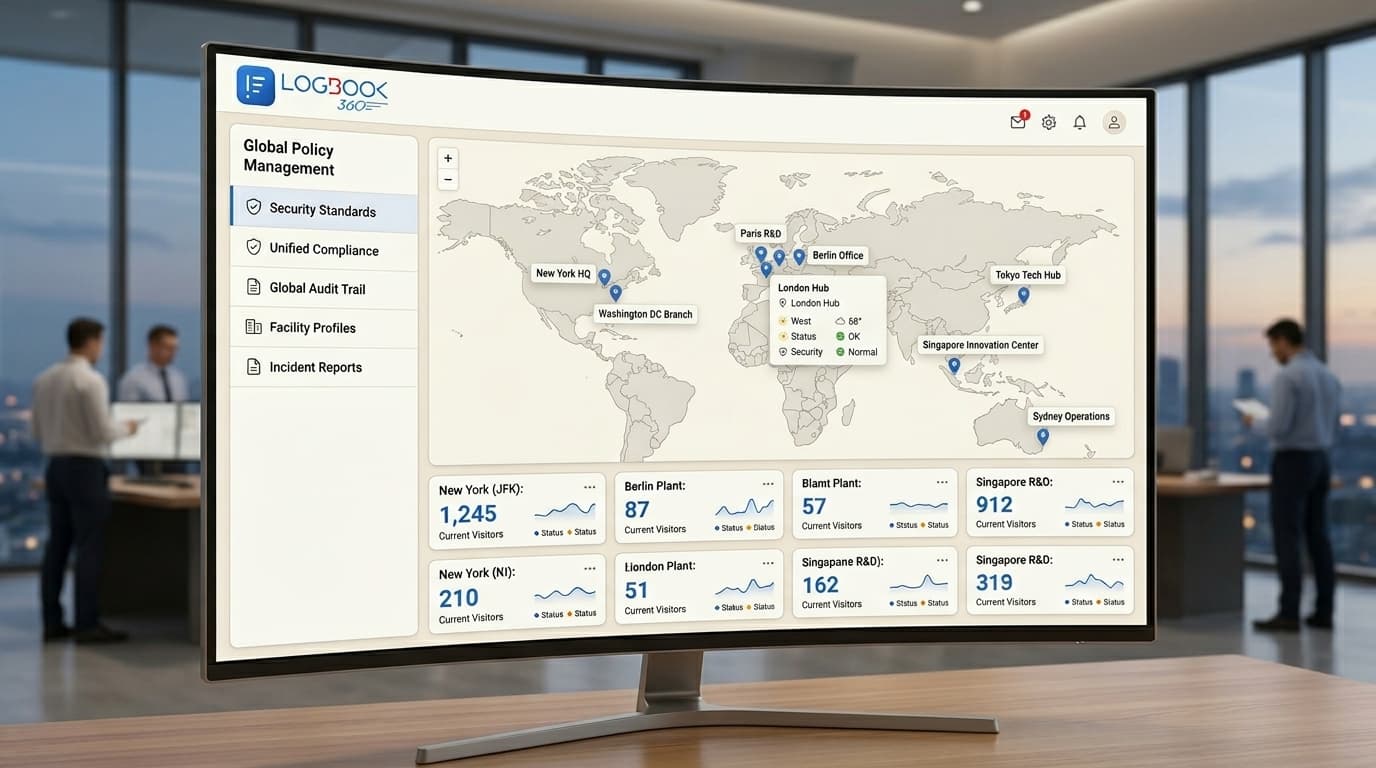
Managing visitors across multiple offices should not mean managing separate systems, processes, and records at every site. With LogBook360, your team can bring visitor management across offices, campuses, and facilities together through a centralized dashboard.
- Unlimited locations on enterprise plans
- One centralized dashboard
- Role-based administration and permissions
- SSO and directory synchronization
Managing Visitors Gets Harder With Every New Location
What works for one reception desk may not work when your organization has more locations. Different teams follow different check-in procedures, maintain separate visitor records, and use different screening rules. A multi-location visitor management system helps bring these processes together without requiring every site to operate independently.
Bring Every Location Together With One Centralized System
LogBook360 gives your organization one place to manage visitor activity across all its locations. Headquarters can maintain common policies, while individual sites can keep the visitor fields, agreements, and host lists they need. With multi-site visitor management software, your team can maintain a consistent approach.
Set Visitor Management Rules Once. Apply Them Everywhere.
LogBook360 lets headquarters manage common requirements centrally while allowing individual locations to retain the fields, agreements, and host lists relevant to their operations. With a centralized visitor management system, your organization can:
- Maintain common screening rules across locations.
- Apply legal agreements and policies consistently.
- Keep location-specific visitor fields and host lists.
Know What's Happening Across All Your Locations
When visitor data is spread across different systems, getting a complete picture of activity takes time. LogBook360 brings location-wise visitor information together so teams can review activity from one place. The centralized visitor management dashboard helps teams:
With real-time visitor tracking, management and security teams can get a clearer view of entry activity across connected locations.
Built for Organizations With Multiple Locations
Whether your organization operates a few offices or manages a large network of facilities, your visitor management setup should be able to grow alongside it. Our scalable visitor management software helps manage unlimited locations on enterprise plans with centralized controls and location-wise reports.
Consistent Visitor Records Across Every Location
Managing multiple sites also means keeping visitor records and entry procedures organized across the organization. LogBook360 helps security, IT, and compliance teams maintain consistent records and essential data across locations.
Frequently Asked Questions About Multi-Location Visitor Management
What is a multi-location visitor management system?
A multi-location visitor management system allows organizations to manage visitor check-in, screening, and reporting across multiple offices, campuses, or facilities through one platform. LogBook360 provides a centralized dashboard, shared policies, and location-wise reporting.
How many locations can LogBook360 manage?
LogBook360 supports unlimited locations on enterprise plans. Organizations can manage visitor activity, maintain consistent policies, and review individual location reports through one centralized system.
Can each location have its own visitor check-in process?
Yes. Headquarters can maintain common policies such as screening and data retention, while individual locations can keep their own visitor fields and host lists. This allows organizations to maintain consistency.
Can I monitor visitors across multiple offices from one dashboard?
Yes. LogBook360 provides a centralized visitor management dashboard where authorized teams can view visitor activity across the organization. Teams can also review details for individual locations.
Does LogBook360 support single sign-on for multiple locations?
Yes. LogBook360 supports SSO and directory synchronization with platforms such as Okta, Azure AD, and Google Workspace. This helps organizations manage employee as well as administrator access across their locations.
Can I generate visitor reports for individual locations?
Yes. LogBook360 supports per-location reporting, allowing teams to review visitor trends, screening results, and occupancy for individual sites, as well as view information across the organization.
Is multi-site visitor management software suitable for large enterprises?
Yes. Enterprise visitor management software can help organizations manage visitor activity across multiple offices, campuses, and facilities. LogBook360 supports unlimited locations on enterprise plans, with centralized policies, role-based administration, and location-wise reporting.
Can I add a new location without setting up the entire system again?
LogBook360 supports a template-based rollout for new locations. Teams can use an existing setup as a starting point, helping reduce the work involved in configuring visitor management at another site.
Can different teams have different access permissions?
Yes. LogBook360 supports role-based administration, allowing headquarters, regional managers, and reception teams to receive permissions according to their responsibilities.
What is the difference between multi-site and centralized visitor management?
Multi-site visitor management refers to managing visitors across several locations. Centralized visitor management means overseeing those locations through one shared system, with common policies and a consolidated view of activity. LogBook360 brings both approaches together.
One Platform Instead of Separate Visitor Management Systems
Managing every location separately can make visitor records, policies, and reporting harder to coordinate. LogBook360 brings these processes together.
| Managing Locations Separately | LogBook360 |
|---|---|
| Separate visitor processes | Centralized visitor management |
| Different policies at each site | Unified policies across locations |
| Individual site records | Centralized visitor records |
| Manual location-wise reporting | Per-location and organization-wide reporting |
| Separate access administration | Role-based permissions |
Every Location. Every Visitor. One Place to Manage It All.
Bring your offices, campuses, and facilities together with a multi-location visitor management system built to keep visitor processes organized as you grow.