LogBook360Loading
Skip to content
LogBook360
K-12 schools

School Visitor Management System for Secure Visitor Check-In

Manage school visitors with LogBook360, a Visitor Management System for Schools that makes it easier to handle visitors from the moment they arrive. Whether it’s a parent, guardian, contractor, vendor, or guest, schools can use LogBook360 to manage check-ins, keep digital visitor records, and know who’s on campus. It replaces paper sign-in sheets with a simple School Visitor Check-In System that keeps everyday visitor management organized.

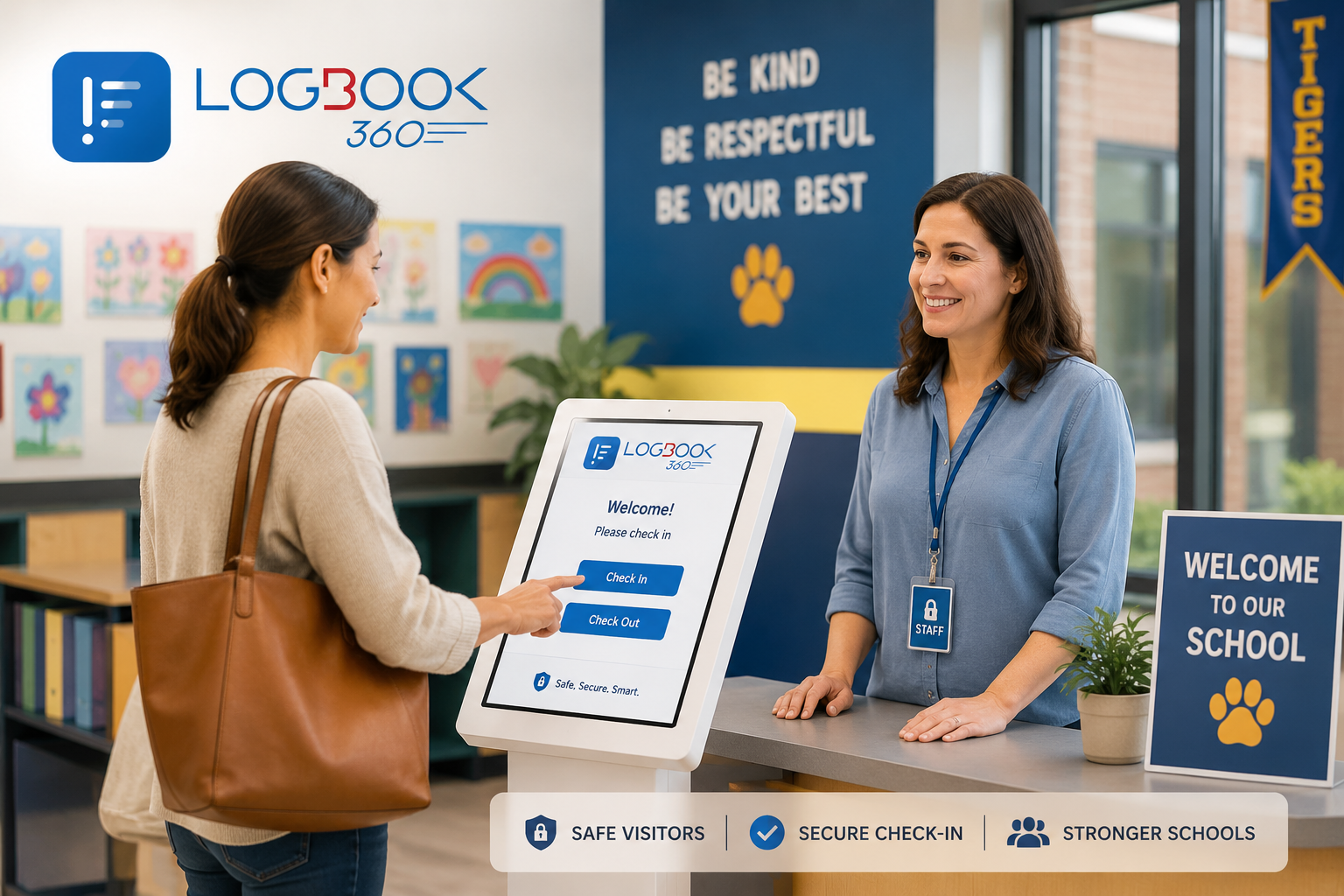
Modern elementary school reception area with a welcoming visitor check-in space.
How LogBook360 helps schools manage visitors

A Digital Visitor Management System Designed for Schools

LogBook360 brings visitor registration, check-in, screening, and visitor records together in one simple platform. It gives school staff a more organized way to manage everyday visitors without relying on paper sign-in sheets or separate processes.

Digital Visitor Check-In

Make visitor arrivals easier with a Visitor Check-In System for Schools that helps staff manage registration and check-in in one place.

Visitor Screening

Support identity verification and configured watchlist checks as part of your school’s visitor management process.

Host Notifications

Keep the right staff informed when a visitor arrives, so they know when parents, guardians, vendors, or other guests are at the school.

Digital Visitor Records

Keep visitor check-ins and activity organized with digital records that are easier for authorized school staff to access and review.

Introduction

Simplify Visitor Management at Your School

Schools welcome all kinds of visitors throughout the day. Parents come in for meetings, contractors handle maintenance, vendors make deliveries, and guests visit for school activities. Managing these visits through paper registers and manual communication can make it harder to keep records organized and stay on top of visitor activity. A school visitor management system provides a digital way to register visitors, record their arrival, support identity verification, and maintain visitor information in one place. LogBook360 helps schools organize these processes through digital visitor check-in, screening workflows, host notifications, and centralized visitor records.
  1. Replace Paper Visitor Registers with Digital Records

    Move away from handwritten logs and keep visitor information in one place with a School Visitor Management System. Authorized staff can access visit details, review past check-ins, and keep visitor records organized.

  2. Organize Visitor Entry Procedures

    Create a consistent check-in process for parents, guardians, contractors, vendors, and other guests. A School Visitor Check-In System helps staff manage arrivals while following the school’s established visitor procedures.

  3. Improve Visibility Into Visitor Activity

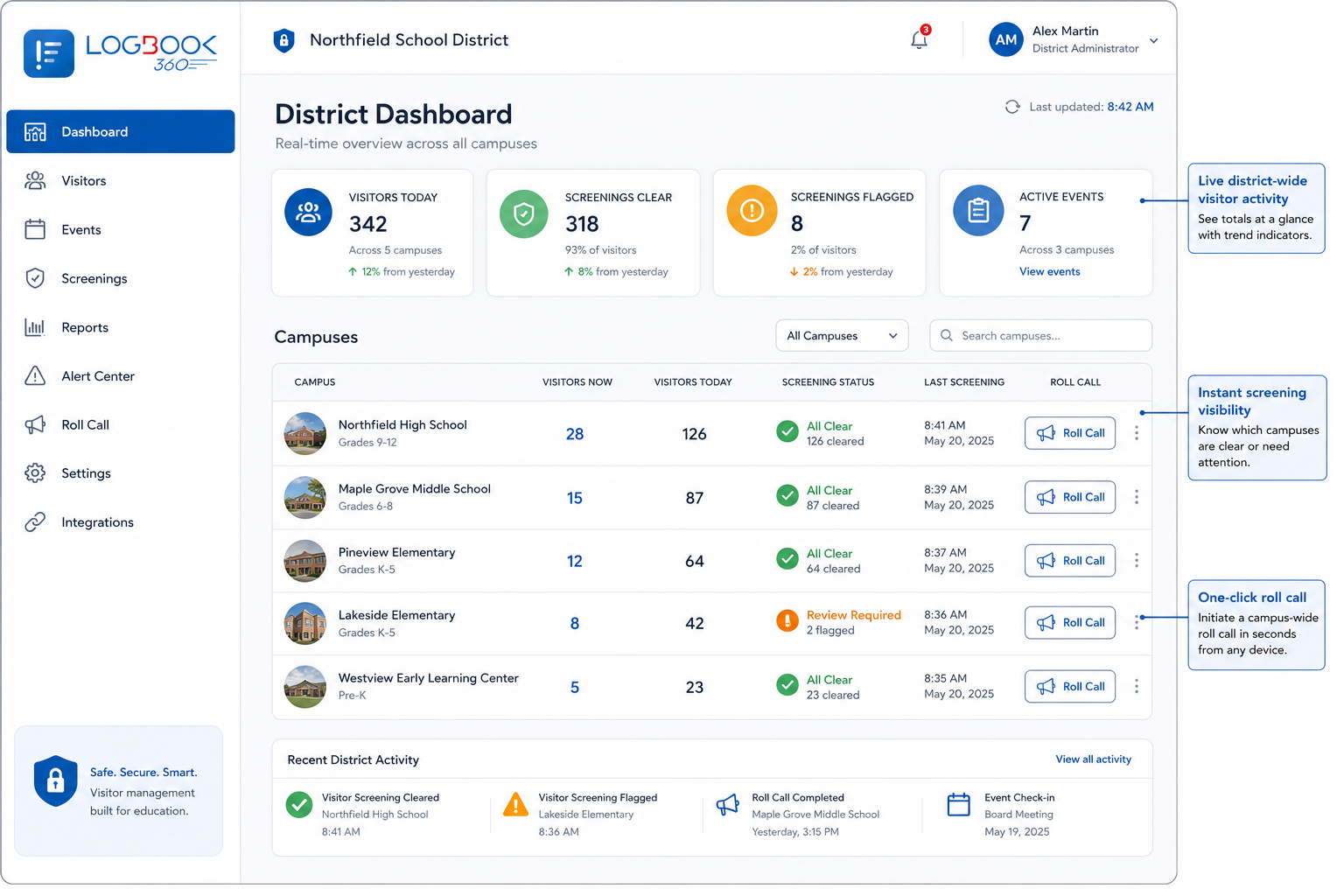
    Use a centralized dashboard to view visitor check-ins and activity across the school. With a School Visitor Tracking System, authorized staff can quickly access relevant visitor information and keep track of who has entered the premises.

How the school visitor check-in system works

How LogBook360 Works for School Visitor Management

LogBook360 supports a structured visitor journey, from registration and verification to check-in, host notification, and digital record management.
  1. 1. Visitor Pre-Registration or Invitation

    Invite parents, guardians, contractors, vendors, and other guests to complete registration before they arrive. This gives schools a more organized School Visitor Registration System and helps staff know who is expected.

    Front desk staff member sending a visitor invitation through LogBook360’s visitor management system.
  2. 2. Identity Verification and Screening

    Visitors complete the required identity verification and screening steps based on the school’s configured process, supporting a consistent School Visitor Screening System.

    Visitor completing their details on a phone before arriving.
  3. 3. Digital Visitor Check-In

    Visitors can check in through the available digital or QR-based workflow. A Visitor Check-In System for Schools makes it easier to record arrivals without relying on paper sign-in sheets.

    Visitor scanning a QR code for digital check-in.
  4. 4. Host Notification

    The designated staff member is notified when the visitor arrives, making it easier to coordinate parent meetings, deliveries, contractors, and other scheduled visits.

  5. 5. Visitor Records and Check-Out

    Visitor activity is recorded digitally, giving authorized staff an organized record of each visit. The Digital Visitor Sign-In System for Schools also supports recording visitor departures through the configured check-out workflow.

    LogBook360 dashboard showing digital visitor records across school locations.
Visitor screening and identity verification

Screen Visitors Before They Enter Your School

Schools need a consistent way to review visitor information before granting access to campus. LogBook360 supports identity verification and configured watchlist screening as part of the School Visitor Screening System, helping authorized staff follow the school’s established visitor procedures.

Visitor Identity Verification

Verify visitor identity as part of the registration and check-in process. This gives authorized school personnel the information they need to review visitor details before entry.

Watchlist Screening

Screen visitors against configured watchlists and flag potential matches for authorized review. Screening results can be handled according to the school’s policies and procedures.

Consistent Visitor Screening Procedures

Make visitor screening part of a consistent entry process. A structured Visitor Management System for Schools helps staff follow the same screening procedures for parents, guardians, contractors, vendors, and other guests.

Visitor Access Records

Keep digital records of visitor check-in activity and relevant screening information, based on available system features and permissions. This gives authorized staff a clearer record of visitor activity.

Real-time visitor monitoring

Real-Time Visitor Monitoring for School Premises

Keep a clearer view of visitor activity across the school with LogBook360. The centralized dashboard brings visitor details and check-in information together, helping authorized staff review who is on the premises without relying on paper registers or manual record searches.
  • Live Visitor Dashboard

    View visitor activity and check-in information from one centralized dashboard. Authorized staff can quickly review available records and stay informed about current visitor activity.

  • Visitor Arrival Visibility

    Review recorded visitor arrivals and visit details to help staff coordinate scheduled visits and manage activity at the school entrance.

  • Centralized Visitor Activity

    Keep visitor activity in one place with recorded check-in and check-out events. A School Visitor Tracking System gives authorized personnel a more organized way to review visitor records.

  • Multi-Location Visitor Visibility

    For schools and organizations managing multiple locations, authorized administrators can review visitor information across supported sites from a centralized system, based on their assigned permissions.

Use cases

Manage Different Types of School Visitors

Schools welcome many different people throughout the day, and each visit can have a different purpose. LogBook360 gives schools a simple School Visitor Management System to organize registrations, check-ins, and visitor records for different types of approved guests.

Parents and Guardians

Manage visits for parent-teacher meetings, administrative appointments, and other approved visits while keeping digital records of arrivals and departures.

Visitor scanning a QR code at a LogBook360 check-in kiosk.

Contractors and Maintenance Personnel

Record visits by service providers and maintenance teams. Keep relevant visit information organized for authorized staff.

School staff managing delivery visitors with LogBook360 visitor management system.

Vendors and Delivery Personnel

Manage vendor and delivery arrivals as part of your Visitor Check-In System for Schools, keeping approved business visits organized from check-in to departure.

Visitor receiving a printed badge after checking in with LogBook360.

Guest Speakers and Invited Guests

Register guest speakers, event guests, and other invited visitors while keeping their visit information connected to the school’s visitor records.

School Service Providers

Keep track of approved service providers who visit for operational or administrative work with a centralized School Visitor Registration System.

Emergency management and mustering

Support School Emergency Response with Visitor Information

During an emergency, schools may need to quickly review who has checked in and who needs assistance. LogBook360 supports emergency alerts and digital mustering workflows that give authorized teams access to relevant visitor information and responses. These features support the school’s existing emergency procedures and do not replace emergency services or the school’s safety plan.
  1. Emergency Alerts

    Support emergency communication workflows that help notify relevant people during an emergency, based on the school’s configured LogBook360 capabilities.

  2. Digital Mustering

    Use digital mustering workflows to help authorized personnel review available responses and identify people who may need assistance during an emergency.

  3. Visitor Presence Information

    Access recorded visitor information to help authorized staff review who may be on the premises when an emergency occurs.

  4. Emergency Response Visibility

    Bring available visitor records and emergency response information into one workflow, helping authorized teams coordinate their response based on the information available.

Multi-location school management

Centralized Visitor Management for Multiple School Locations

School groups and education organizations operating multiple locations may need a consistent way to manage visitor information across their premises. LogBook360 supports multi-location management, helping authorized administrators oversee visitor activity across supported locations through a centralized platform.

Centralized Visitor Records

Maintain visitor information within a centralized system, with access controlled according to assigned permissions.

Location-Based Visitor Visibility

Review visitor activity associated with supported school locations. This helps administrators maintain an organized view of recorded visitor activity across their organization.

Role-Based Access

Use role-based permissions to control which visitor information users can access, according to the system’s configuration.

Consistent Visitor Management Workflows

Support consistent visitor registration and record-management processes across supported school locations, based on each location’s configured requirements.

Benefits of a digital school sign-in system

Benefits of a Digital Visitor Management System for Schools

Give school staff a simpler way to manage visitors, keep records organized, and stay informed about who is entering and leaving campus.

Spend Less Time on Manual Check-In

Reduce paperwork and repetitive entry tasks with a School Visitor Check-In System that keeps visitor information digital.

Keep Visitor Records Organized

Keep visitor information in one place, making it easier for authorized staff to find and review past visits.

Know Who’s on Campus

Get a clearer view of visitor activity with a School Visitor Tracking System that records check-ins and check-outs.

Follow Consistent Entry Procedures

Give staff a structured process for registration, verification, screening, check-in, and visitor access.

Keep Staff Informed

Notify designated staff when visitors arrive, making it easier to coordinate meetings, deliveries, and other visits.

Be Better Prepared for Emergencies

Access available visitor information and digital mustering responses to support the school’s established emergency procedures.

Traditional visitor register vs. digital visitor management

Why LogBook360 is better?

Paper visitor registers and digital visitor management systems both record visitor information, but they differ in how information is collected, stored, and accessed.
Paper visitor register compared with digital visitor management
Paper Visitor RegisterDigital Visitor Management
Visitors write their details by hand.Visitors complete digital registration and check-in.
Records are stored in physical registers.Visitor information is stored digitally in one place.
Screening often requires a separate manual process.Configured screening workflows can be part of the visitor process.
Staff need to contact hosts manually.Host notifications can be sent automatically where configured.
Finding an old visitor record means searching through registers.Authorized staff can quickly search digital visitor records.
Visitor activity depends on manual updates.A centralized dashboard provides visibility into recorded visitor activity.
Each location may maintain its own register.Supported locations can be managed centrally.

LogBook360 helps schools move toward a structured digital visitor management process while allowing them to configure workflows according to their operational needs.

School visitor management scenarios

How Schools Can Use LogBook360 in Everyday Situations

From scheduled meetings to unexpected arrivals, LogBook360 helps schools manage different visitor scenarios with digital registration, check-in, notifications, screening, and visitor records.
  • Parent-Teacher Meetings

    Register parents and guardians, record their arrival, and notify the designated staff member when they check in.

  • Contractor and Maintenance Visits

    Record contractor visits, support the school’s configured verification process, and keep relevant entry records organized.

  • School Events and Guest Visits

    Manage registration and check-in for guest speakers, invited guests, and other approved event visitors.

  • Unexpected Visitor Arrivals

    Collect visitor details, follow the configured screening process, and record arrivals even when visitors were not pre-registered.

  • Emergency Situations

    Use available visitor records and emergency mustering workflows to help authorized staff review visitor presence and follow established emergency procedures.

Related for K-12: Custody and dismissal workflows · FERPA compliance

FAQ

Frequently Asked Questions About School Visitor Management Systems

A Visitor Management System for Schools is software that helps schools register visitors, manage check-ins and check-outs, maintain visitor records, and support established visitor entry procedures.

A School Visitor Check-In System provides a digital way for visitors to register and record their arrival. It can include registration, identity verification, notifications, and digital visitor records.

Visitors provide the required information, complete applicable verification or screening steps, and check in through the school’s configured workflow. The system records the visit and can notify designated staff.

Yes. An Electronic Sign-In System for Schools can replace handwritten visitor logs with digital registration, check-in records, and organized visitor information.

Yes. LogBook360 supports QR-based check-in workflows, allowing registered visitors to use a QR code as part of the configured visitor check-in process.

Yes. LogBook360 supports visitor pre-registration, allowing schools to collect visitor information before scheduled visits and make arrival procedures more organized.

Yes. Configured host notifications can alert designated staff when a visitor checks in, helping them coordinate the visit.

Yes. LogBook360 supports identity verification and configured watchlist screening workflows as part of a School Visitor Screening System, subject to the school’s procedures and system permissions.

Yes. LogBook360 provides dashboard-based visitor activity visibility, helping authorized personnel review check-in information and recorded visitor activity through a School Visitor Tracking System.

Yes. LogBook360 supports multi-location visitor management, allowing authorized administrators to manage visitor information across supported school locations based on their permissions.

LogBook360 supports emergency alerts and digital mustering workflows that can help authorized personnel review visitor information and available responses as part of the school’s established emergency procedures.

No. A School Visitor Management System is designed to manage visitors, including registration, screening, check-in, and visitor records. Student attendance systems are designed specifically to record student attendance.

Schools can Book a Free Demo to explore LogBook360’s visitor management workflows and discuss how they can fit into their existing visitor entry procedures.

Simplify School Visitor Check-In with LogBook360

Make visitor check-in, screening, notifications, and digital records easier to manage with one Visitor Management System for Schools.

Continue the tour
  • University Visitor Management

    Manage guests, vendors, contractors, and campus visitors.

    Explore
  • Emergency Management

    Manage alerts, mustering, and emergency visitor information.

    Explore
  • Visitor Check-In

    Simplify visitor arrivals with digital check-in and pre-registration.

    Explore
Ask ALBi…