
KYV: A Smarter Approach to Visitor Identification
Every workplace, campus, hospital, and facility welcomes visitors every day. Knowing who they are, why they are there, and when they arrive and leave gives teams better visibility and helps them manage their premises more effectively. That's where KYV: Know Your Visitor comes in.
Banks Do KYC. Why Shouldn't Premises Do KYV?
You enter a bank to open an account. The bank wants to know your identity. Your identity is verified, your information is checked, and your banking relationship is documented. That's KYC: Know Your Customer. Think about your current workplace. Every day, an enormous number of people walk through its doors. Visitors. Vendors. Contractors. Clients. Guests. But how much do you truly know about them? That's where KYV comes in. KYV: Know Your Visitor.
What Does KYV Actually Mean?
KYV, or Know Your Visitor, is a simple approach to modern visitor management and premise security. A basic visitor log might tell you that someone entered at 10:15 AM. But it doesn't tell you much more than that. KYV looks at the bigger picture: Who are they? Why are they here? Were they expected? Has their identity been verified? Has applicable visitor screening been completed? When did they arrive? What visitor activity is being recorded? And who may need help during an emergency? That's the idea behind KYV: Know Your Visitor.
The 7 Steps to Know Your Visitor
1. Know Who Is Coming
KYV begins before the visitor arrives at your premises. A host invites the visitor and schedules the visit. The visitor can then complete the required details through the visitor pre-registration process before arriving. With LogBook360, scheduled visitors can receive an invitation and QR code, making the visitor check-in process quicker when they arrive. It also gives security teams a clear view of who is expected before the visit begins.
2. Verify Their Identity
A visitor giving you a name is not the same as verifying who they are. With LogBook360, identity verification can be completed from the visitor's own device during the pre-arrival process after receiving the host's invitation. This allows an important part of the visitor management process to happen before the visitor reaches reception. Know who they are.
3. Screen the Visitor
Identity verification lets you know who the visitor is. Visitor screening can help determine whether the visitor complies with the organization's security requirements. LogBook360 can integrate relevant visitor screening and configured blocklist checks into the visitor management workflow. These checks, if enabled, can be included in the pre-arrival process as part of visitor identity verification. Security doesn't have to start at the front desk.
4. Know Why They Are Here
A visitor shouldn't just be a mere name in a database. KYV links the visitor to the context of the visit: Who are they meeting? What is the reason for their visit? Where are they currently on the premises? What is the meeting scheduled for? Linking the visitor to their host and planned visit helps reception and security teams to better understand the reason someone is on the premises.
5. Know When They Arrive
When the visitor arrives at the premises, the scheduled visit is linked to the arrival process. LogBook360 allows for QR code visitor check-in, kiosks, and facial recognition workflows. Photo capture, badge issuance, and host notification are all possible components of the applicable visitor management workflow. The host is aware that their visitor has arrived, while the visitor check-in is recorded as part of the visitor management process.
6. Know What's Happening
This is where KYV goes beyond the traditional visitor logbook. LogBook360's Live Monitoring provides real-time visibility into entry events across connected facial recognition cameras, kiosks, and QR scanners. Security teams can view relevant event information such as visitor identity, captured photo, timestamp, device, and location or entry point. Events can be filtered by location, gate, date range, or visitor name. If an unfamiliar face is detected, LogBook360 can identify it as a stranger, with blocklist checks available as part of the monitoring process. Don't just know who entered. Know what's happening across your entry points.
7. Know Who Needs Help
Now imagine an emergency in a large building. The first question isn't just how many people are inside. It's also who is there and who might need help. LogBook360's emergency visitor management workflow can notify people inside the premises and let them respond with I'm Safe or I Need Help. For security and emergency teams, this provides a clearer picture of who is still inside and who may need assistance. It also adds an important layer to visitor tracking, visitor management, and overall premise security when every second matters. KYV shouldn't stop when a visitor walks through the door. It should continue to matter when things don't go as planned.
KYV Is More Than Visitor Check-In
For a long time, visitor management was viewed as a simple reception procedure: sign in. Obtain a badge. Meet your host. Leave. But a visitor's journey doesn't really look like that. It starts before they even arrive. It includes visitor identity verification, screening, check-in, and time on the premises. And in an emergency, visitor information might become quite crucial. Visitor tracking and emergency visitor management can help here as well. The question is no longer just: Who signed in today? It's "Do we know who is on our premises?"
Why Every Premise Needs KYV
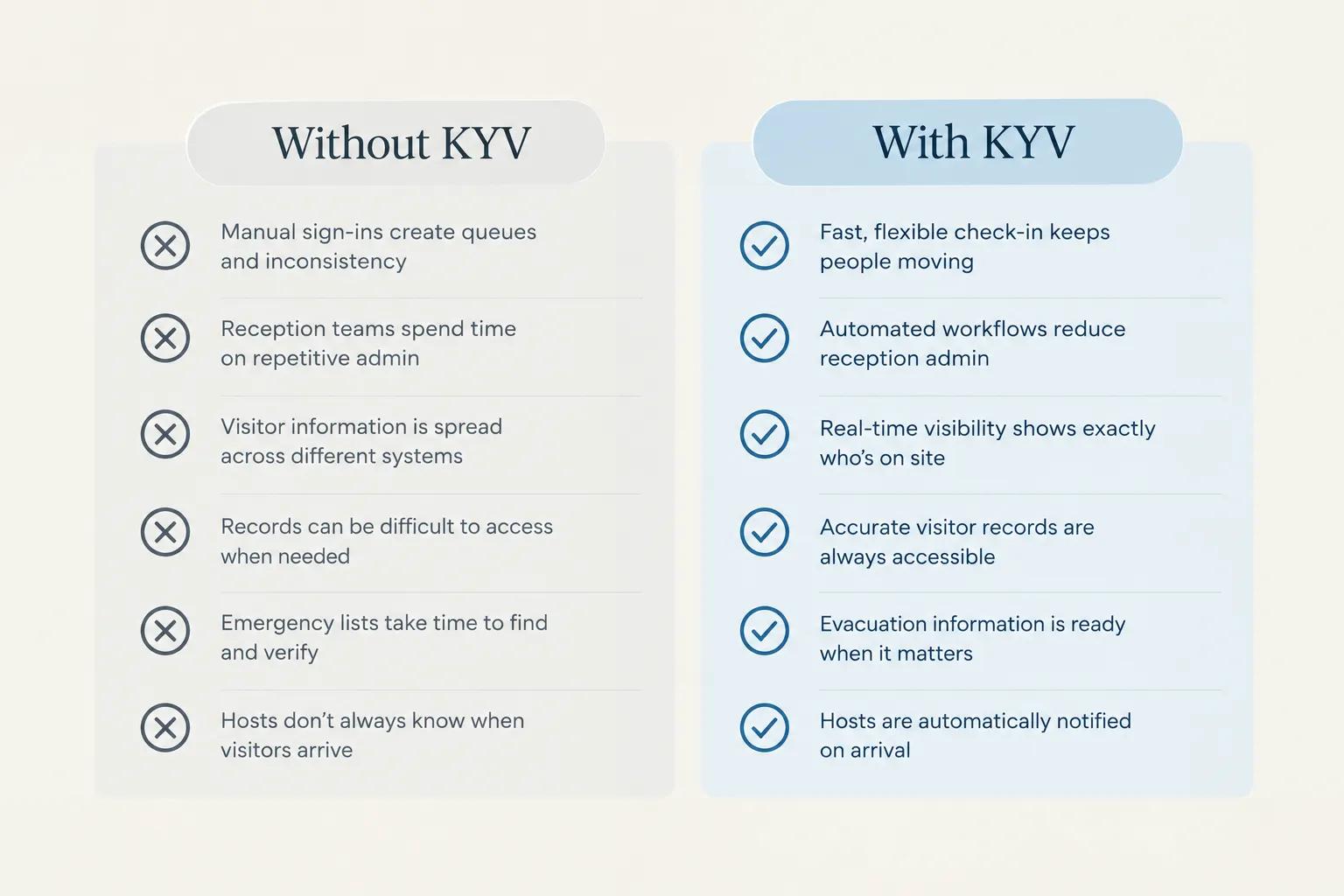
Banks did not create KYC simply because keeping a list of customer names was not enough. They built a process around knowing who they were dealing with. Premises face a similar challenge. A corporate office may have hundreds of visitors every week. A university can have multiple buildings and entrances. A hospital may have patients, vendors, contractors, and guests coming and going throughout the day. In a large facility, visitors may move through different areas and entry points, making visitor tracking and visitor management more challenging. The larger and busier the premises, the more important visitor visibility, visitor security, and physical security become. A visitor management system can help security teams maintain a clearer picture of who is entering and who is already on the premises. Just like KYC helps banks know their customers, KYV helps businesses know their visitors.
KYV With LogBook360
Manual visitor identification means paper registers, verbal checks, and staff attempting to keep track of who is arriving and leaving. LogBook360 centralizes the visitor journey, making it easier to identify, verify, screen, and track their visits.
| Manual Visitor Identification | LogBook360 |
|---|---|
| Write visitor details in a register | Digital visitor registration |
| Check identity manually | Identity verification |
| Rely on manual screening | Visitor screening |
| Ask who the visitor is meeting | Host and visit information |
| Record arrival by hand | Digital visitor check-in |
| Search through paper records | Searchable visitor records |
| Rely on staff to know who is inside | Live visitor visibility |
| Manually manage visitor information during emergencies | Emergency visitor information |
With LogBook360, KYV becomes a practical part of everyday visitor management, from knowing who is coming to keeping track of who is on your property.
KYV Is Not a Compliance Standard
KYV is not just about compliance. It is a practical approach to improving visitor security, visitor management, and overall visitor experience. With the right visitor management system, organizations can create a welcoming environment while still knowing who is on their premises. It helps teams move beyond recording names and get a clearer view of who is visiting, why they are there, and when they leave.
Frequently Asked Questions
Your Visitors Are Already Walking Through Your Doors.
Don't just track visitors. KNOW them. KYV by LogBook360.