
How to Keep K-12 Students Safe with a School Check-In System
Student safety starts with knowing who is entering the school. Visitor pre-registration helps schools know who is expected, why they are visiting, and how to prepare for their arrival before they reach the campus. This is where a visitor management system such as LogBook360 comes into play. Every school day, K-12 campuses welcome more than just students and educators. Parents, contractors, vendors, volunteers, guests, and other visitors are welcome to enter the premises. A modern school check-in system replaces paper registers, streamlining visitor management through registration, identity verification, screening, notifications, digital records, and emergency processes in one cohesive workflow.
Why K-12 Schools Need More Than a Visitor Sign-In Sheet
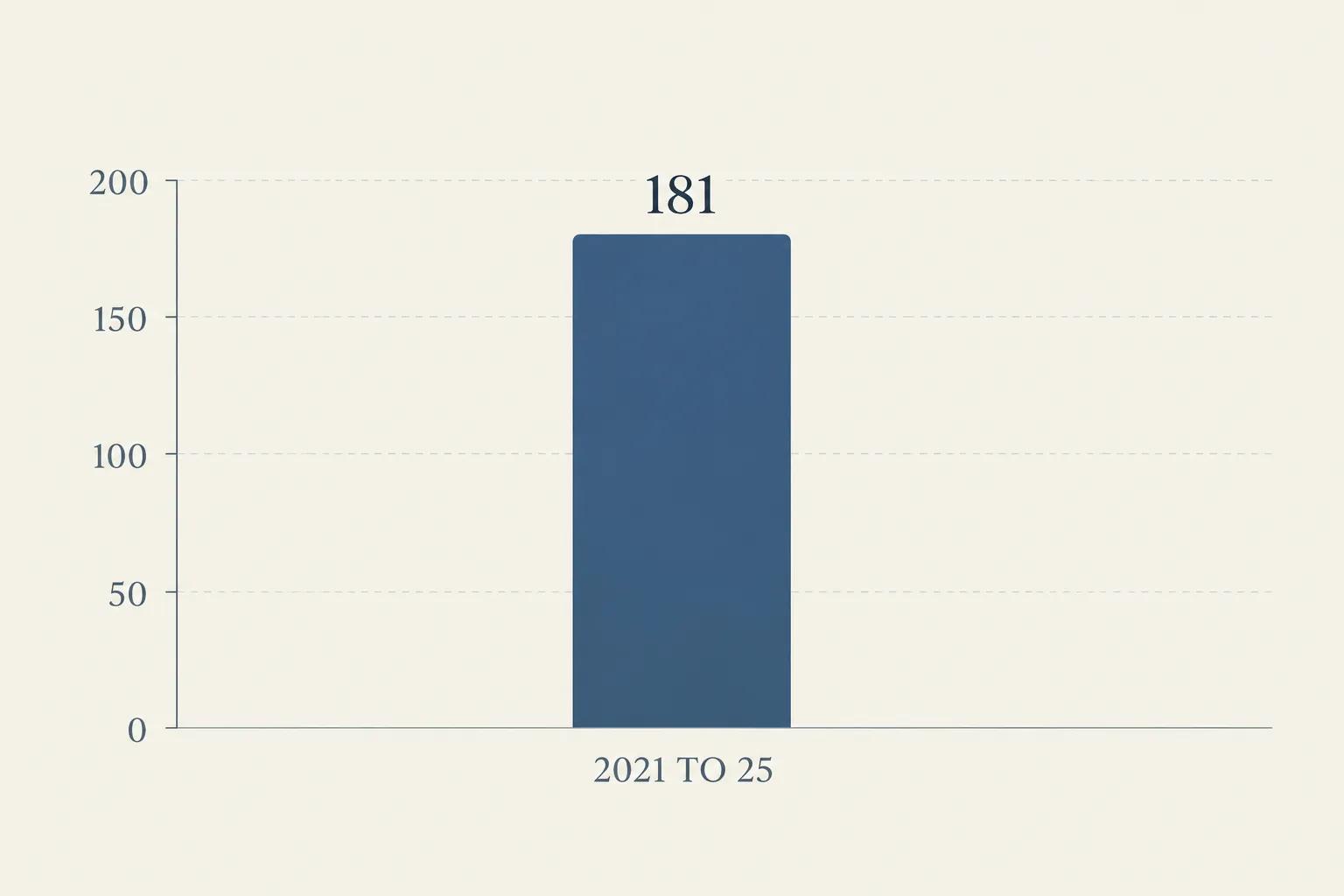
A paper visitor register can capture a name and arrival time, but it doesn't tell you much beyond that. During an emergency, having this data available becomes even more important. Between 2021 and 2025, there were 181 K-12 school shootings in the U.S. that resulted in injuries or deaths. A school visitor management system turns visitor check-in from a basic sign-in task into a more organized part of the school's overall safety process.
5 Steps to Improve K-12 School Safety with a Check-In System
1. Know Who Is Entering the School
Knowing who is entering your campus is the first step toward improving school safety and security. A school visitor check-in system allows visitors to be invited before their visit, complete their information, and receive a QR code to use for a faster check-in when they arrive. Schools can keep a digital record of visitor details such as arrival time, host information, check-in and check-out activity, and other relevant information.
2. Verify and Screen Visitors
Knowing someone's name does not mean knowing who they are. A modern visitor management system for schools can include identity verification and school visitor screening as part of the workflow. Visitor screening for schools can also help identify visitors who may need to be reviewed further before being granted access.
3. Know Why the Visitor Is There
Visitor security goes beyond simply knowing who someone is. Schools also need to know why they are there. A parent attending a teacher conference is different from a contractor working on campus. A guest speaker is different from a delivery person. A school visitor management system can link visitors to their appointment, reason for the visit, and host. When the visitor arrives, the relevant staff member can receive a notification, helping keep the visit organized from check-in to check-out.
4. Know Who Is Inside During an Emergency
When an emergency strikes, a school visitor management system becomes particularly useful. Teachers are counting their classes, staff members are managing the students, students are being evacuated; emergency responders are on their way. Digital visitor records enable managers to know which guests have checked in and whether they left.
The emergency workflow of LogBook360 can also notify individuals on the premises so they may mark "I'm safe" or "I Need Help". This gives managers more awareness during an emergency and can assist them to determine who might need help.
5. Keep a Digital Record of Every Visit
A visitor management system keeps a digital record of each visit, including when the visitor checked in and out, who they visited, and relevant screening information where configured. These records can be useful for security reviews, incident investigations, reporting, and internal audits. Authorized staff can simply search the digital history and find the information they need.
What Should a Modern School Check-In System Include?
A school check-in system should do more than replace a paper logbook. For K-12 schools, look for capabilities that support the complete visitor journey, from pre-arrival to departure.
- Pre-Registration: Allow visitors to provide details before arriving.
- QR Code Check-In: Speed up arrival with contactless QR-based check-in.
- Identity Verification: Help verify visitor identity as part of the workflow.
- Visitor Screening: Screen visitors and run watchlist checks as part of your school's check-in process, where configured.
- Host Notifications: Let the right staff member know when their visitor arrives.
- Digital Visitor Records: Keep a searchable record of who visited, when they arrived, and when they left.
- Live Visibility: See who is currently on campus and keep track of visitor activity across connected locations and entry points.
- Emergency Response: Quickly see visitor status and communicate with people on campus when an emergency occurs.
School Check-In Should Be About More Than Check-In
A modern school visitor management system gives schools better visibility into the people entering their premises: Who is coming? Who are they? Why are they here? Who are they meeting? Are they still inside? What happens if there is an emergency? When these questions can be answered using a single structured process, visitor management becomes a critical layer of school safety.
LogBook360 for K-12 School Visitor Management
LogBook360 helps schools move beyond traditional visitor sign-in with a digital school visitor management system that brings the visitor journey into one place. From pre-registration to check-in and emergency response, schools can manage visitors through one clear, organized process.
Frequently Asked Questions
K-12 School Check-In System
Help schools manage visitor entry and student safety.
University Visitor Management
Simplify visitor check-in across university campuses.
Watchlist Screening
Screen visitors against configured security watchlists.
Final Thought
A safer school does not begin with an emergency. It begins at the front door itself. Who are they? Why are they here? Should they be here? Are they still inside? A modern school check-in system helps schools answer these questions with greater clarity. Knowing who enters your school isn't just good administration. It's part of ensuring your students' safety. KYV: Know Your Visitor. Powered by LogBook360.